

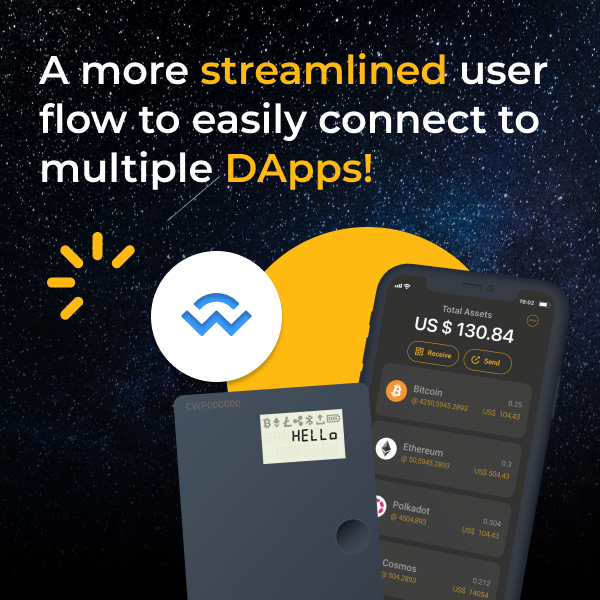
The world of decentralized apps (DApps) can be a treacherously slippery slope if you don't know what you're doing. Conversely, it can open a world of amazing decentralized protocols for you to interact with and increase your crypto wealth.
As recent DeFi hacks and scams have shown on leading applications like OpenSea and MetaMask (both supported by CoolWallet), one should strongly consider using a hardware wallet to add cold storage security for your crypto assets, especially when interacting with smart contracts.
Luckily CoolWallet users don't need to stress. If your CoolWallet's firmware is version 2.39.0 or newer, it means your card supports our WalletConnect update.
Use this detailed step-by-step guide we've prepared for you to access a whole universe of DApps. Let's get started!
What is WalletConnect?


WalletConnect is an open protocol that helps you easily connect your crypto wallets to DApps by using an end-to-end encrypted QR code or Deep Link. Simply scan the QR code on the decentralized protocol of your choice, and connect to thousands of DApps. Authorize transactions with your CoolWallet and enjoy cold storage security when dealing with DeFi and NFT protocols and marketplaces!
In this step-by-step guide we'll show you how to use WalletConnect with your CoolWallet in practice.. Let's use Uniswap as an example, since you can connect and access it on both a PC or mobile browser.
Warning: Scammers and hackers often create fake sites or Google ads to trick you. Please make sure you're visiting the right URL whenever you interact with a DApp in order to avoid phishing or hacking. Only access reputable DApps to avoid other threats like rugpulls.
Tips: Bookmark the website's correct URL link where possible, check the site's credentials and avoid clicking on any paid ad links you find through a Google search. If in doubt, visit CoinMarketCap or Coingecko to double check your link is authentic
How to Use WalletConnect With CoolWallet on a PC/Mac
There are 5 simple steps to use CoolWallet, our CoolWallet app and a DApp like Uniswap on a desktop computer.
- Generate a QR code on Uniswap
- Scan the QR code with our CoolWallet app
- Confirm the transaction on Uniswap
- Complete the transaction with the CoolWallet and CoolWallet app
- Check transaction status on Uniswap and/or Ethereum explorer
Here's how to complete each step.
Step 1: Generate a QR Code on your DApp (example: Uniswap)
- Go to the Uniswap.org website
- Click on [Launch App] at the top- right corner to enter the main page.
Click on [Connect wallet] → [WalletConnect] to get a QR Code.


Step 2: Scan the QR code with our CoolWallet App
- Open the CoolWallet App and click on [Marketplace] → [WalletConnect] and simply scan the QR Code displayed on the Uniswap.
- Next click on [Network] to switch to other supported networks.
- Click on [Address] to select the right wallet address, then [Connect].


Step 3: Confirm your transaction on Uniswap
- Select the currency and your amount for exchange on Uniswap.
- Click on [Swap].
- Confirm the transaction details, then, click on [Confirm Swap]


Step 4: Complete your transaction on CoolWallet App and CoolWallet card
- Go to your CoolWallet App and click on the [Pencil icon] to set up your transaction details.
- Confirm the details by clicking on [Confirm]
- Next, take your CoolWallet and follow the CoolWallet App instructions to connect over encrypted Bluetooth and authorize the transaction.
- Use your CoolWallet to physically confirm the transaction by pressing its button as requested. Make sure to check transaction details are the same on the card and App.
- Click on [Done].


Step 5: Check Transaction Status on Uniswap and Ethereum blockchain
- After the transaction is completed, you should see [Transaction Submitted] on the Uniswap website.
- Select [Close] → [View on Explorer] to confirm the transaction on the Ethereum blockchain explorer.


How to Use WalletConnect with CoolWallet to Access DApps on Mobile
There are 4 simple steps to use CoolWallet, our CoolWallet app and a DApp like Uniswap on a mobile phone:
- Generate a QR code on Uniswap
- Confirm the transaction on Uniswap
- Complete the transaction with the CoolWallet and CoolWallet app
- Check transaction status on Uniswap and/or Ethereum explorer
That's one less step than on a desktop PC, as you don't need to scan a QR code.
Here's how to complete each step.
Step 1: Generate a QR Code on your DApp (example: Uniswap)
- Visit Uniswap in your mobile browser
- Click on [Launch App] to enter the main page
- Click on [Connect wallet] → [WalletConnect] → [CoolWallet] → [open] → [Connect].


Step 2: Confirm transaction on Uniswap
Select the currency on Uniswap and enter your desired exchange amount, then click on [Swap]. After confirming all the transaction details, click on [Confirm Swap] → [Open].

Step 3: Complete transaction on CoolWallet App and CoolWallet card
- Open the CoolWallet App, and click on the [Pencil icon] to set up your transaction details.
- Select [Confirm] after checking the transaction details.
- Follow the CoolWallet app instructions and connect your CoolWallet card
- Physically confirm the transaction on your CoolWallet by pressing the card’s button
- Click on [Done] in your App when finished.
Step 4: Check transaction status on Uniswap and Ethereum blockchain
- After the transaction is completed, you should see [Transaction Submitted] on the Uniswap website.
- Select [Close] → [View on Explorer] to confirm the transaction on the Ethereum blockchain explorer.

Share:
How to use MetaMask on CoolWallet: a Step-by-step Guide
Bananas ApeCoin Airdrop Kicks Off BAYC Metaverse Plans