

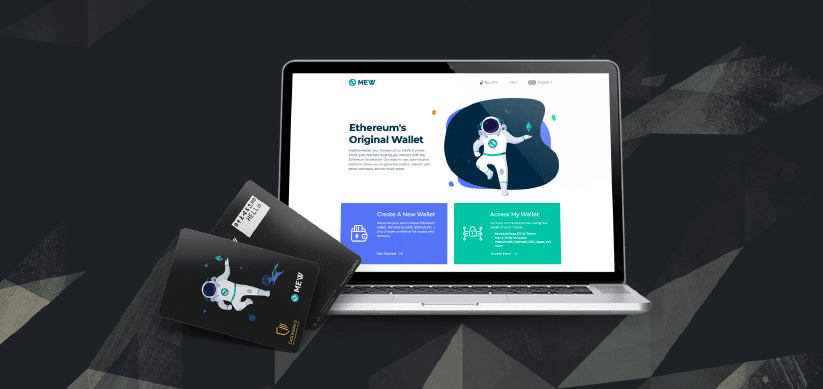
We're happy to announce that MyEtherWallet (MEW) has introduced support for CoolWallet S on its Ethereum platform. This partnership was made possible by both of the dev teams over at CoolBitX and MEW working tirelessly to bring CoolWallet S integration to the popular Ethereum platform. This integration brings new innovations to the CoolWallet S and will hopefully open the doors for many more in the future.
How to connect your CoolWallet S to MyEtherWallet
Since the MEW platform is browser based, connecting your CoolWallet S will require a few extra steps. Assuming you are familiar with how to connect your CoolWallet to your smartphone, connecting it to your computer shouldn't be a problem. You can also refer to the tutorial provided by MEW if you like. There are a few things you should do before connecting your CoolWallet S to MEW.
- Successfully set up your CoolWallet S with the CoolBitX app on your iOS or Android device
- Enable Bluetooth connections on your computer or laptop.
- Enable Bluetooth connections in your browser. Chrome is recommended.
Step 1. Navigate to MEW's official website.
Step 2. Click 'Access My Wallet'.

Step 3. Click 'Hardware'.

Step 4. Click 'CoolWallet' and then 'Continue'.

Step 5. Open the CoolBitX app on your smartphone and go to Settings > Show Pairing Password. Please also turn on your CoolWallet S by pressing the button on the card itself to connect it to your smartphone.

Your Pairing Password should appear.

Step 6. You must now disconnect your CoolWallet from your smartphone in order to connect it to your computer. You can either:
- Turn off CoolWallet S by holding the power button and then turning it back on
- or Disable Bluetooth on your smartphone
Step 7. Enter the Pairing Password into the MEW interface and click 'Unlock CoolWallet'.

Step 8. A pop-up should appear asking to pair the CoolWallet S. Select the CoolWallet and click 'Pair'.

Step 9. If you are pairing your CoolWallet to your computer for the first time, you will need to enter a one-time connection password. The password will appear on the CoolWallet's screen.

Enter the password and click 'Connect'.

Step 10. Press the button on the CoolWallet to confirm pairing.

Step 11. You can now choose the address you would like to interact with. Click 'Access My Wallet' to complete the connection.

Congratulations! You can now use your CoolWallet with MEW.
Share:
Reddit Looking Into Blockchain Tech For New Point System
Music Group Hides Bitcoin in Latest Album